What's New
Lead Sheet Improvements
This release includes a significant set of updates to finalize the Lead Sheet replacement, improving questions, validation, and overall accuracy throughout the loan application.
Simplified Income Documentation Types
The income documentation type options have been streamlined to better reflect real-world underwriting requirements. Updated options are: W-2 (min 2 years), Self-Employed / 1099 (min 2 years), Bank Statements (new), Retired, Other Income, and N/A (new). These appear in both the Client Intake and the 1003.
New Loan Term & Amortization Type Fields
Loan Term (30yr / 20yr / 15yr / I don't know) and Amortization Type (Fixed / ARM / I don't know) are now required fields in the Loan & Property section of the 1003, ensuring alignment with pricing and eligibility from the start.
Updated Down Payment Question & Refinance Fields
The down payment question has been renamed to "Total funds available for down payment." Refinance scenarios now include an expanded Current Loan/Lien Type field with a new "None" option, plus a cash-out amount field when applicable.
Refinance Escrow/Impounds Note
When a borrower selects Refinance, they'll see an informational note explaining that their existing escrow account will be closed at payoff and a new one may be opened at closing.
Expanded Asset Types
Borrowers can now select from the full set of asset types that MeridianLink supports (previously, only 4 were available), including gift-source tracking for gift-fund assets.
New Smart Validations
Three new validations automatically catch common issues before submission:
- Rental Income is now required when Occupancy Type is Investment
- HOA Amount is now required when Property Type is Condo or PUD
- LO Review now alerts the loan officer if total declared assets are less than the required down payment
Disclosure Tracking
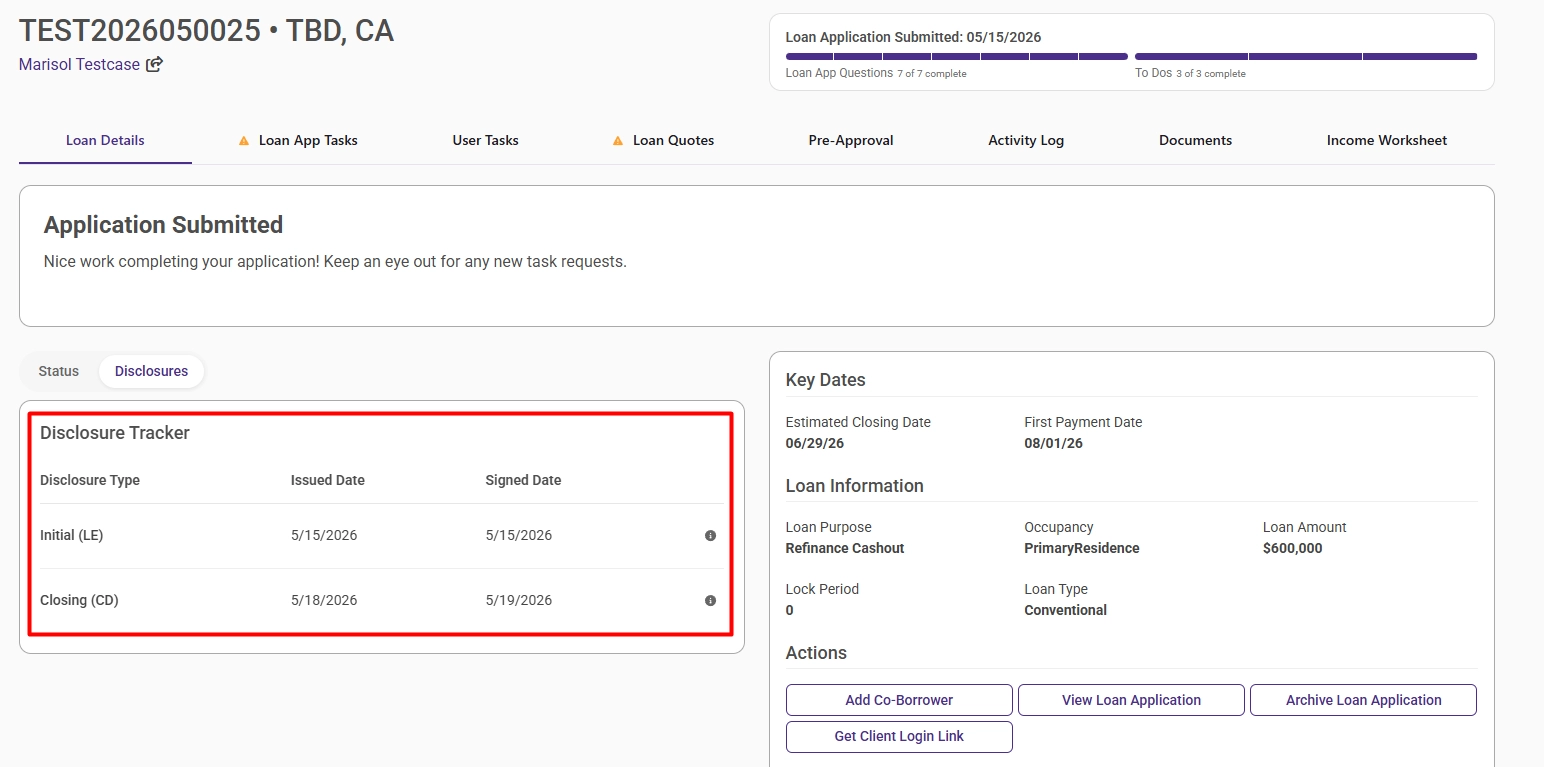
New Disclosure Tracking Widget
A new widget on the loan dashboard displays the issued and signed dates for Initial Loan Disclosures (LE) and the Closing Disclosure (CD), pulled directly from MeridianLink. DLRs no longer need to log into an external system to check disclosure status.
Pricing
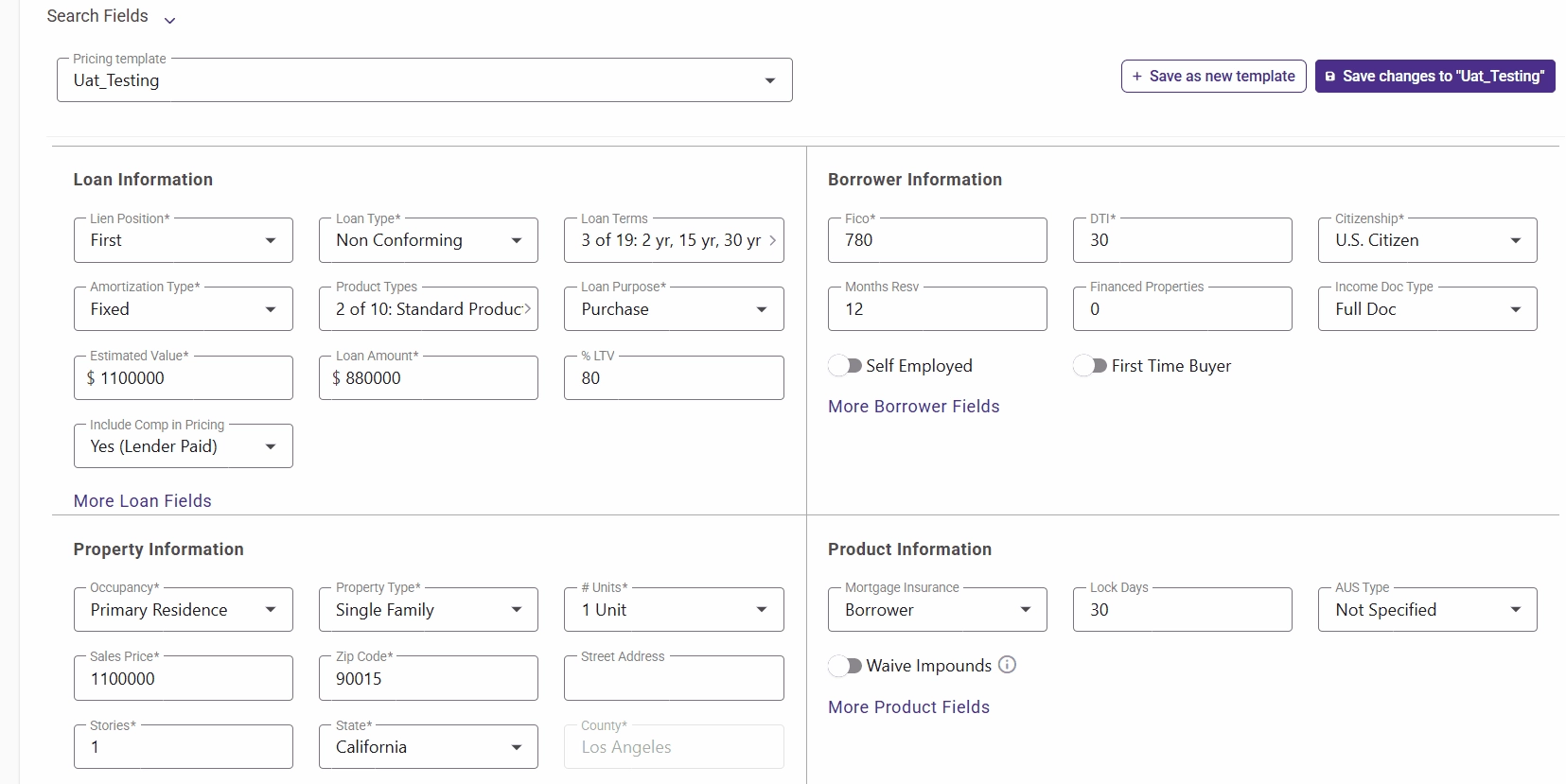
Global Loan Scenario Library
Loan officers can now save loan scenarios not tied to a specific client — great for common types like Jumbo CA. Saved scenarios can be named, categorized, and loaded into any loan for quick pricing comparisons.
AI Pricing in Claude
Realfinity now has a native MCP (Model Context Protocol) server that connects Claude AI directly to the pricing engine and loan data. Loan officers can run pricing searches, get live rate and product results from OptimalBlue, and get loan details all within a Claude conversation. Currently, it only works in your Realfinity-connected Claude web, mobile, or desktop app.
See setup instructions here.
Bug Fixes
- Quote Selection After Processor Pre-Approval — Resolved an issue where the LO/DLR was unable to select quotes after a Processor or Deal Desk pre-approved pricing. LOs can now select quotes under the Processor's chosen program as expected.
- Pricing Loan Information Save Issues — Fixed two issues in the Pricing panel: Lien Position was not saving immediately after clicking Save, and the Property Type dropdown wasn't reliably reflecting the selected value. Both now behave correctly.
Was this article helpful?
That’s Great!
Thank you for your feedback
Sorry! We couldn't be helpful
Thank you for your feedback
Feedback sent
We appreciate your effort and will try to fix the article