What's New
Push notifications
When new tasks are added, or completed by the borrower, a real-time notification will be pushed to the Loan Office, DLR, CK, and any assistants on the loan file. They are visible when you click the bell icon in the top-right corner.

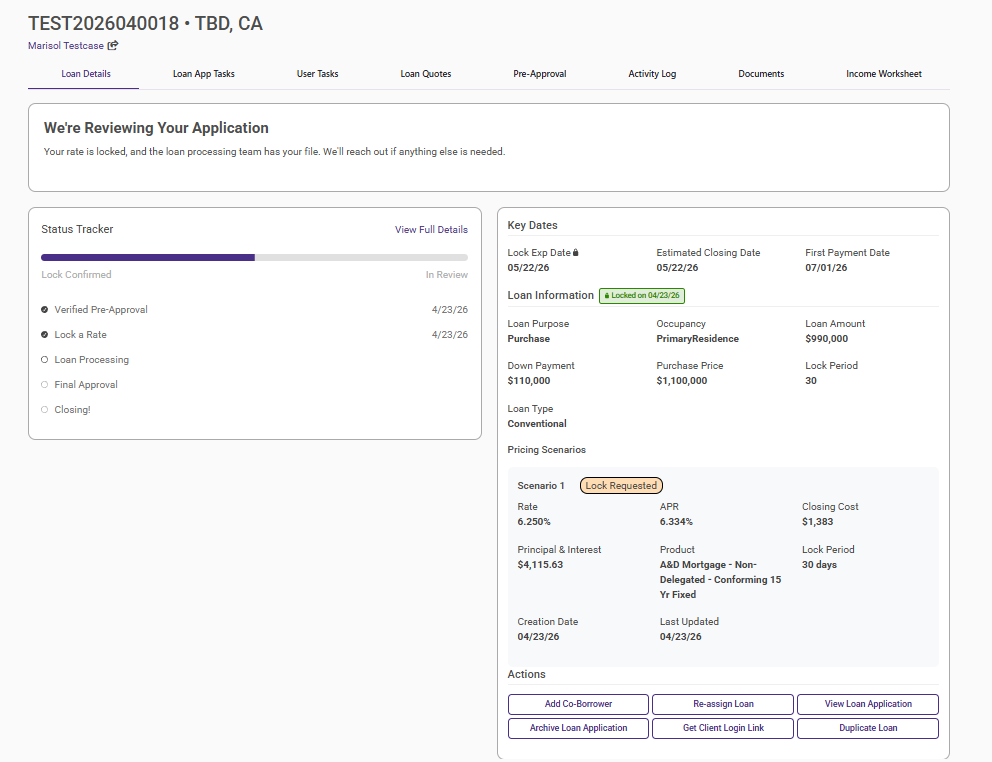
Locked Rate Visibility
When a loan rate is locked, the platform now clearly displays a LOCKED badge in the Loan Quotes section. Key pricing details — including cost and APR — are now visible directly from the Loan Information section, so there's no ambiguity about whether a rate has been secured.
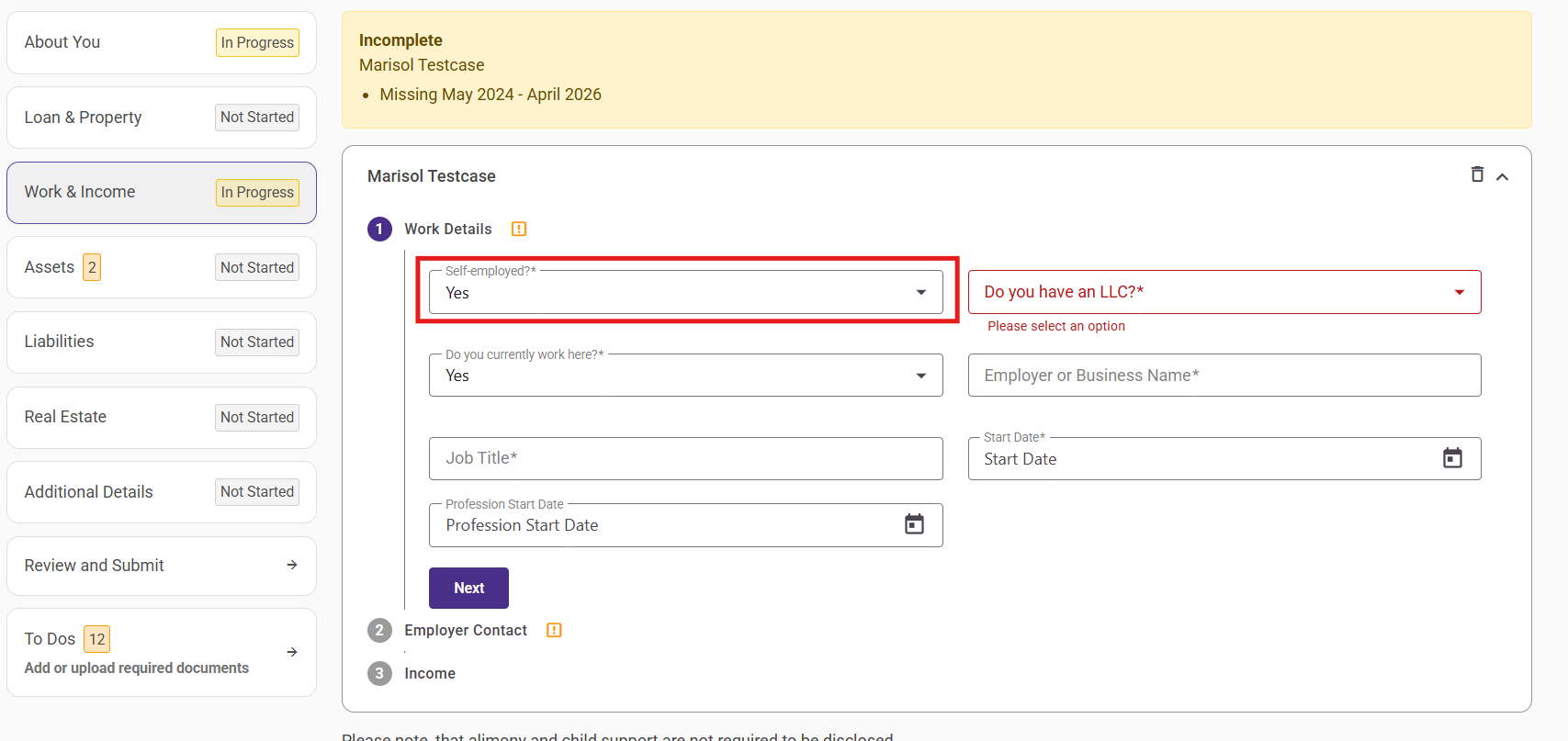
Self-Employed Income Pre-Fills 1003
When a borrower selects "Self-Employed" as their income source in the CIL, the Work & Income section of the 1003 now automatically pre-populates with that selection — for both the primary borrower and any co-borrower. No more re-entering the same information twice.
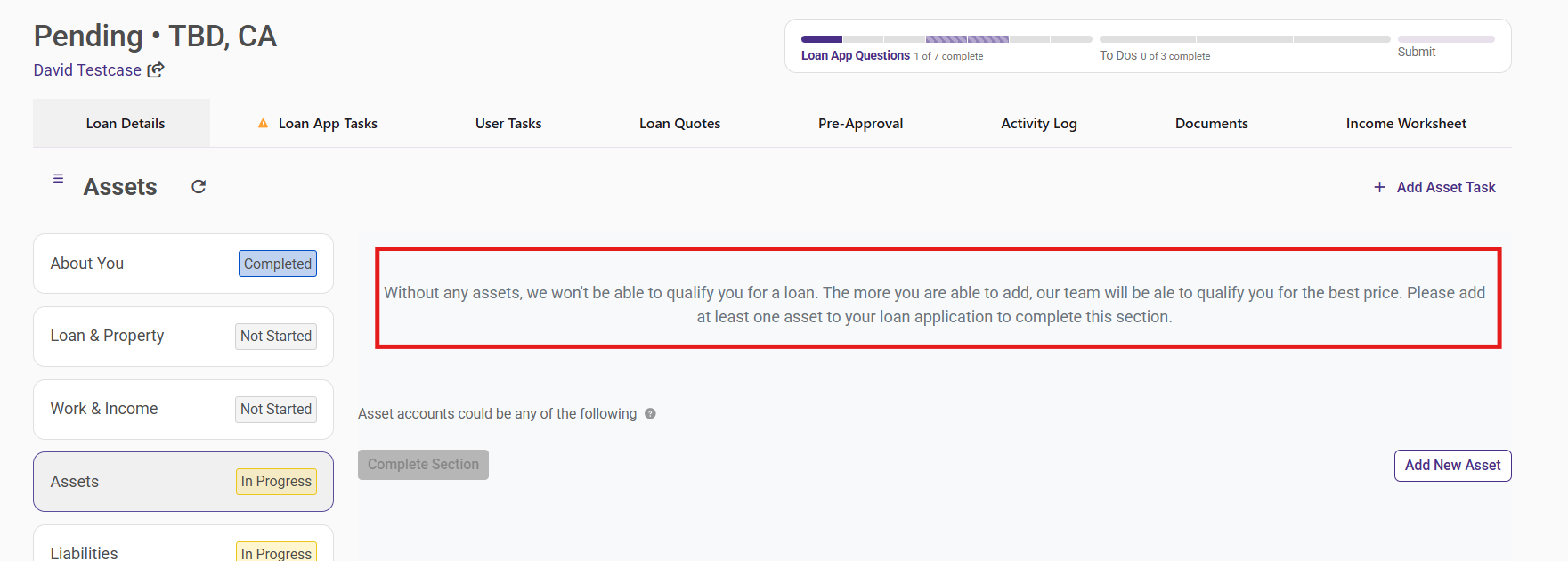
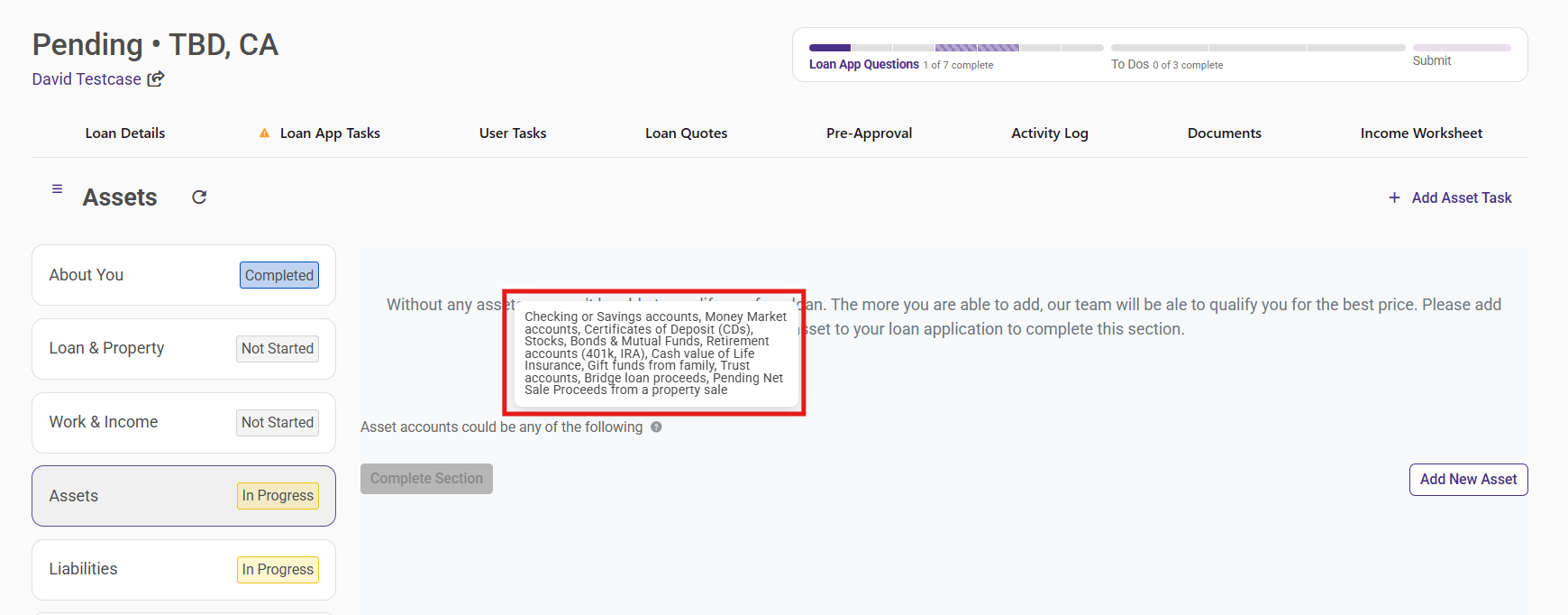
Assets — Clearer Guidance & Tooltip
The Assets section now shows a helpful message when no assets have been added, and includes a new tooltip explaining what information is needed. The guidance text only appears when relevant.
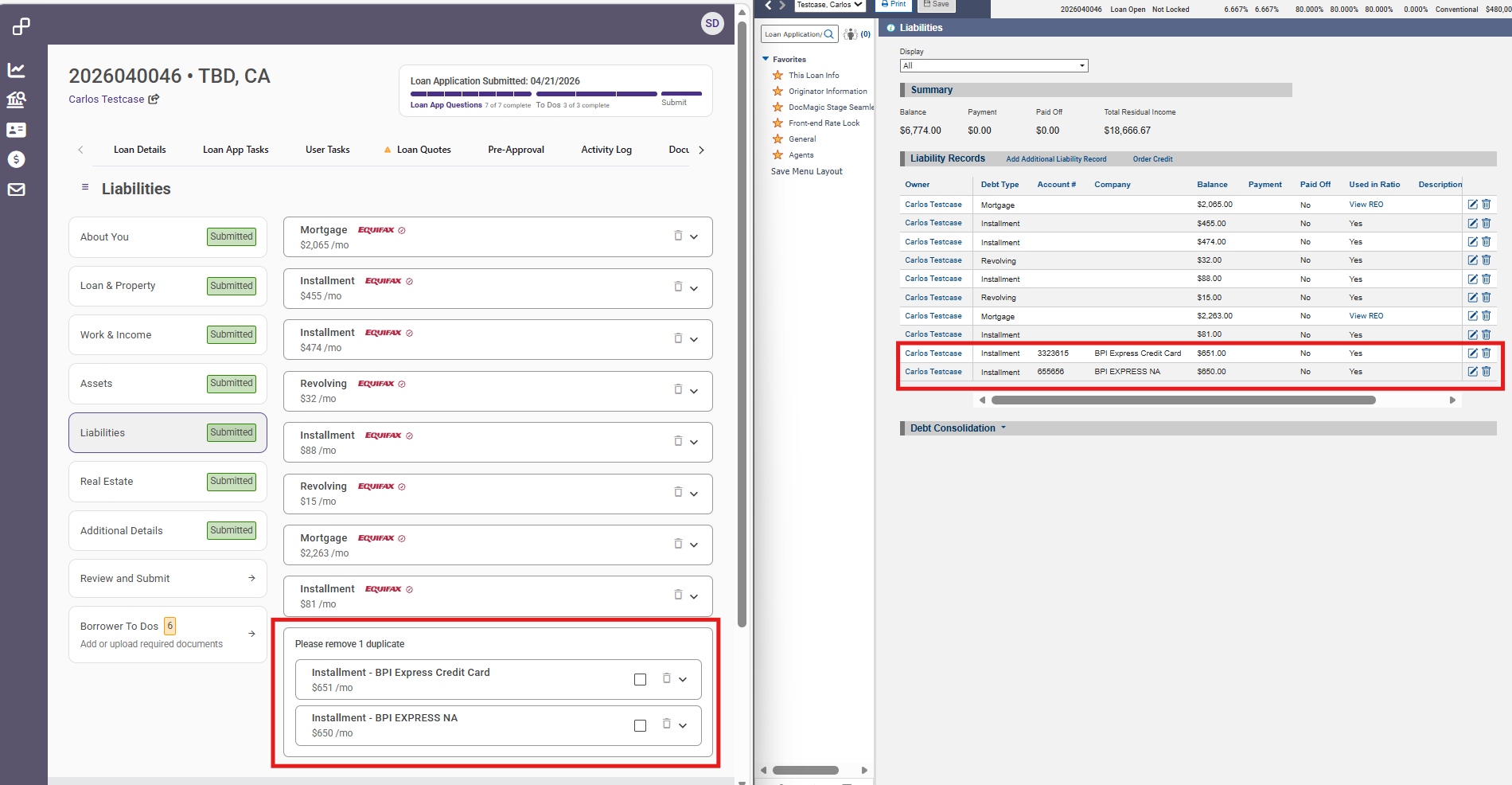
Duplicate Liability Detection
The system now identifies when a liability already exists — whether entered manually or imported from a credit report — and gives users the ability to choose which record to display. This keeps the Liabilities section clean and accurate.
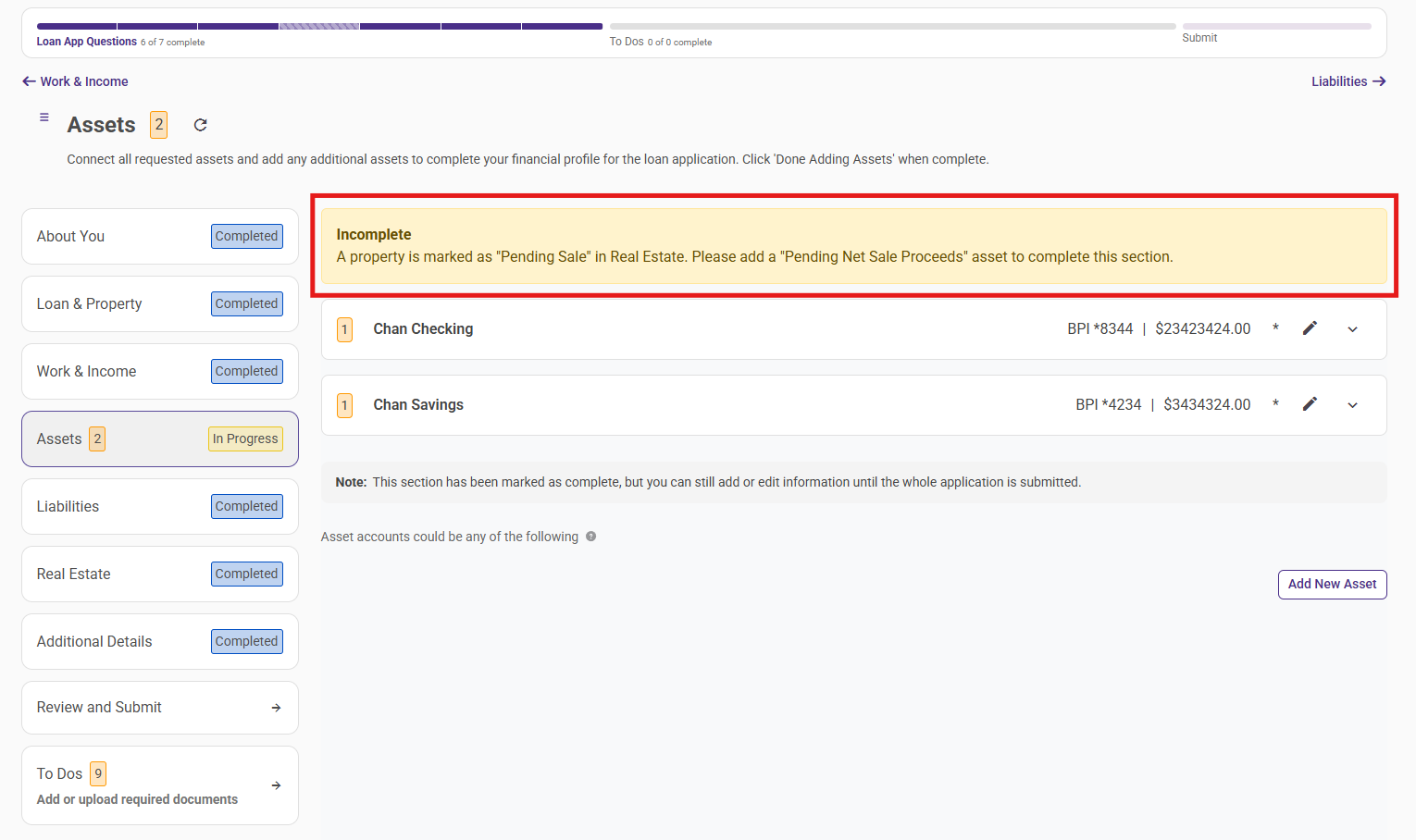
Pending Sale Blocks Loan Submission
Loan applications can no longer be submitted when any property in the Real Estate section is marked as "Pending Sale." A clear error message explains what needs to be resolved before submission can proceed.
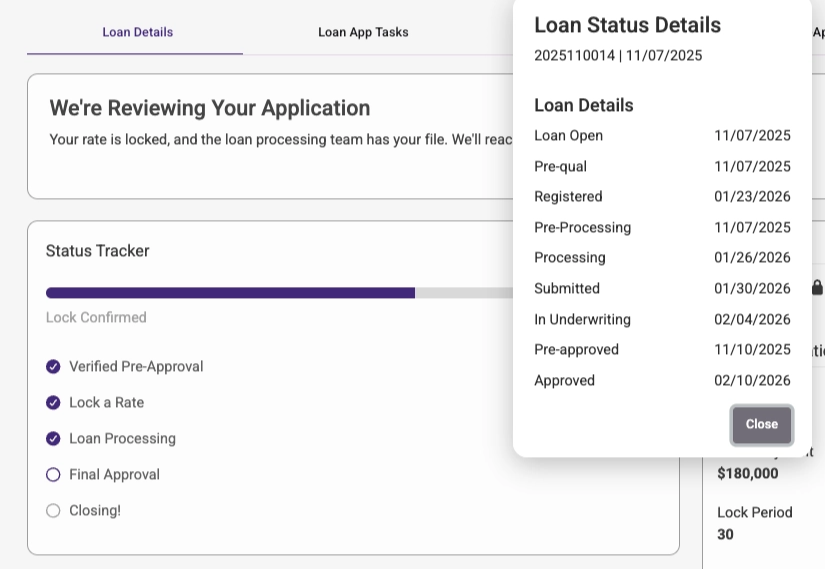
Borrower Loan Status Tracker — Full Milestone Timeline
The borrower-facing loan status tracker now displays a detailed, plain-language timeline of all key loan milestones — Pre-Approved, Submitted to Underwriting, Conditional Approval, Final Approval, Clear to Close, and Funding — with timestamps. Tooltips explain each stage, and the full timeline is now visible to all user account types.
Property Type Labels Improved
Property type options in the loan application are now labeled more clearly so borrowers can easily identify the correct selection for their situation.
Bug Fixes
- 1003 refresh stays on track — Refreshing while filling out the 1003 in Client View no longer redirects borrowers away to the Loan Details page.
- CIL loan creation — correct redirect — After creating a loan via the CIL, the platform now shows the Overview page as expected instead of cycling back to the CIL.
- Pre-Approval "Get Verified Now" — blank page resolved — Clicking "Get Verified Now" after a failed pre-approval no longer shows a blank page.
- Document upload routing fixed — Documents uploaded to a loan now correctly assign to their intended task.
Coming Up Next
- Microsoft 365 Email Migration: All DLRs will transition from the in-platform email solution to Microsoft 365 mailboxes
- Loan Officer Review Page: The lead sheet will be replaced with a review screen. After the borrower completes the 1003 and required tasks, the Originator (LO, DLR, or CK) will review and complete their tasks before the loan is submitted to the Deal Desk.
- Push Notification Enhancements: Events will persist and be grouped by loan, instead of disappearing when the page is refreshed
Was this article helpful?
That’s Great!
Thank you for your feedback
Sorry! We couldn't be helpful
Thank you for your feedback
Feedback sent
We appreciate your effort and will try to fix the article