Welcome to the updated loan application experience. We've redesigned the application process to make capturing borrower information and uploading documents simpler and more efficient.
Key Updates
❇️ Navigating the New Application Layout
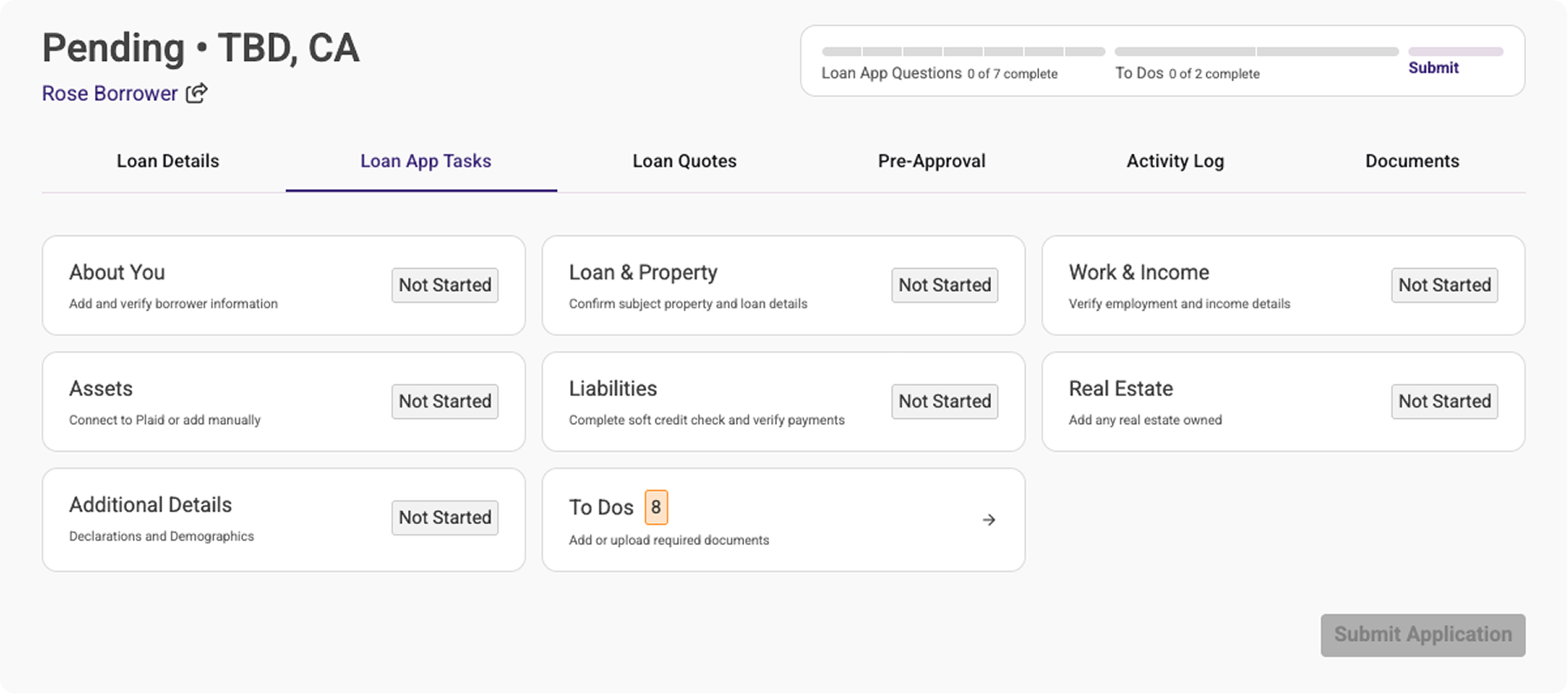
The loan application now features a streamlined, section-based layout accessible from the Loan App Tasks page. Click any section to open its questions and fields. Once all required sections are complete and necessary documents are uploaded, the 'Submit Application' button becomes active, allowing your borrowers to submit with confidence.
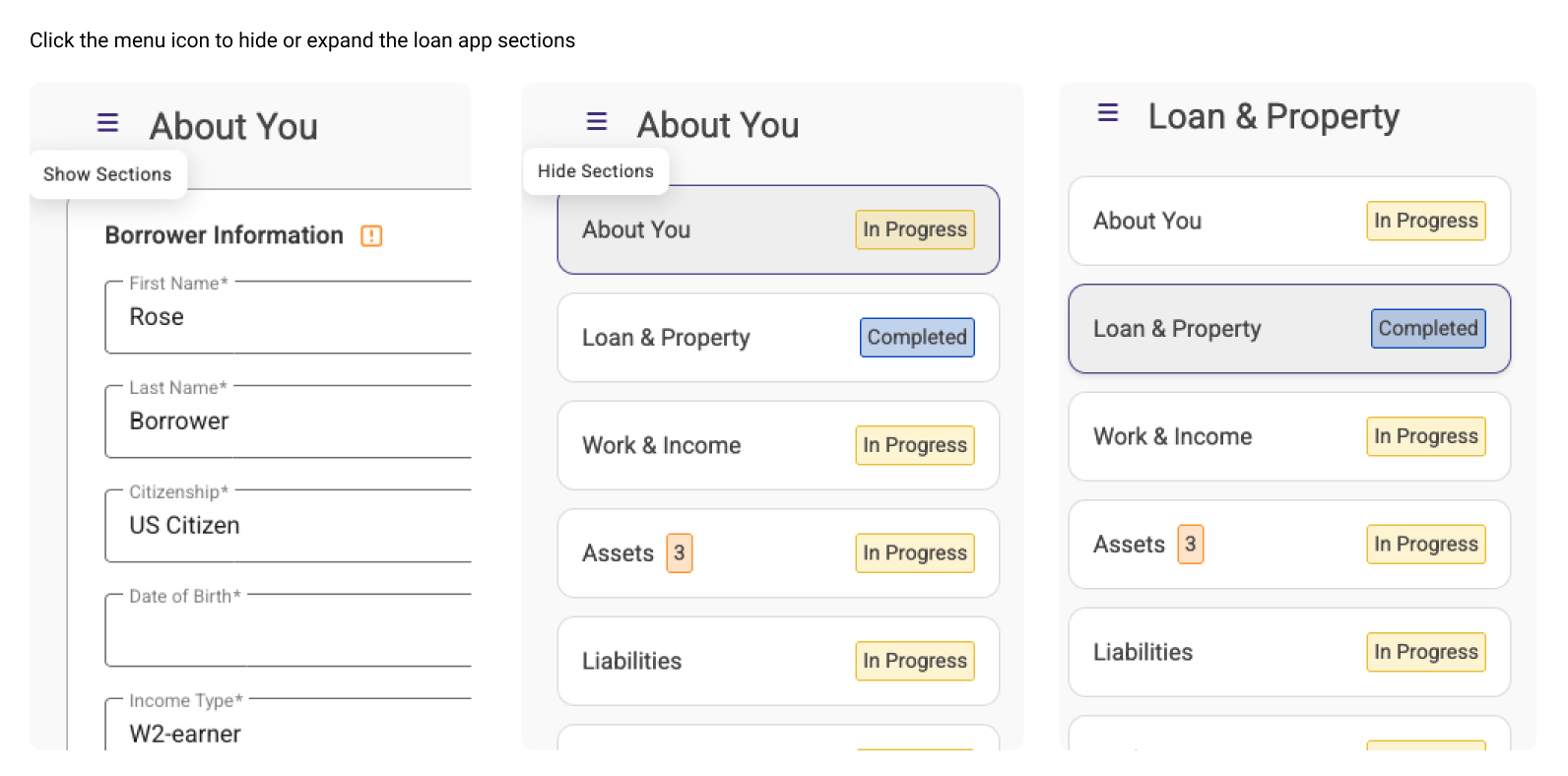
The side menu can be expanded or collapsed as you or the borrower is working on the application. From here, you can see the different sections and the status of each section.
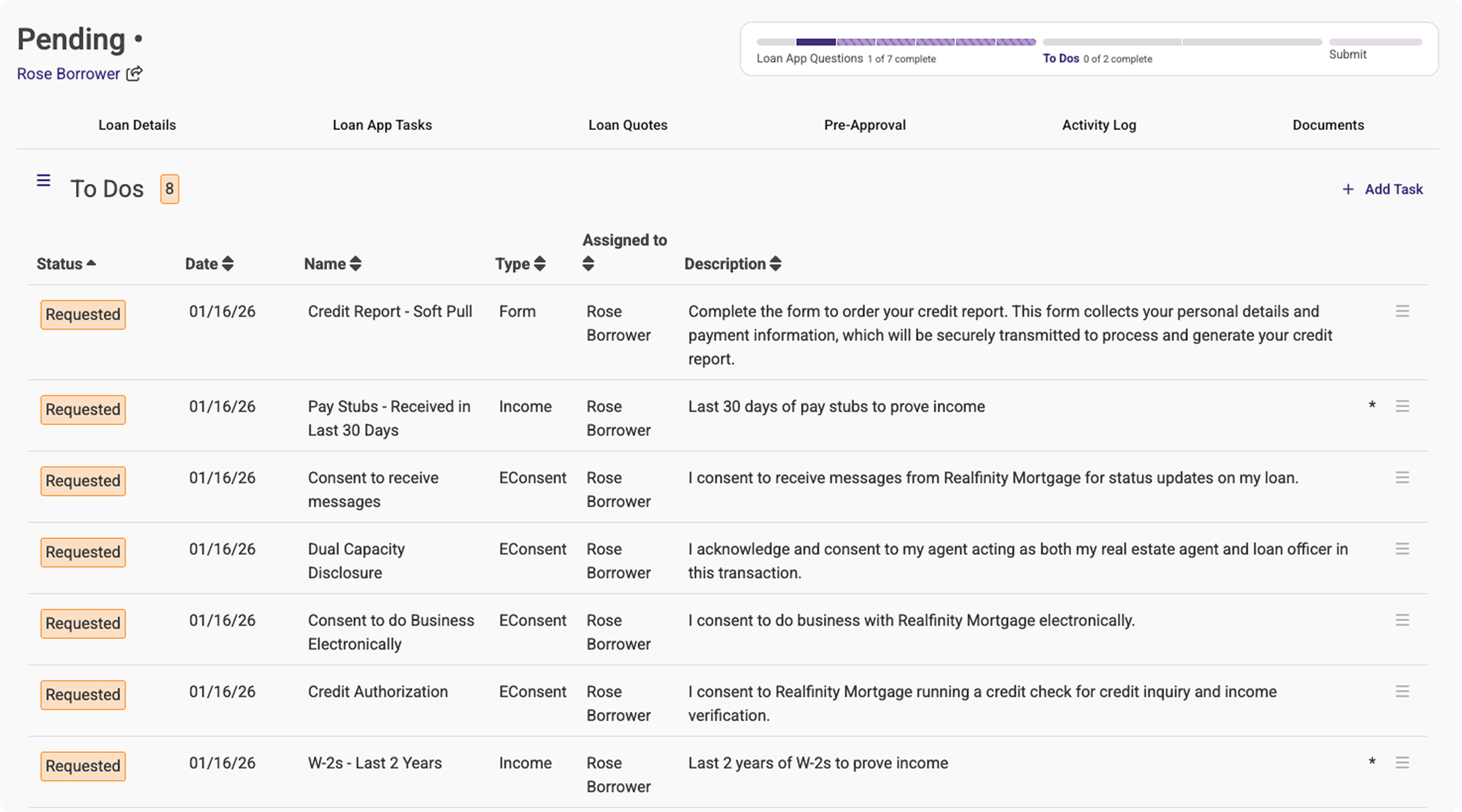
The To Dos page opens up the list of tasks (existing view). Required documents or items are marked with an asterisk and show up in the progress bar. You can add or remove documents for your borrowers if something was added incorrectly. In this view, the borrower said they were using W-2 income to qualify, so those documents are requested.
As a reminder, documents are assigned based on the responses in the initial client application stepper. This is the first step before the application can be accessed. Review the updates here for more information.
❇️ Tracking Your Application Progress
1. Progress Bar
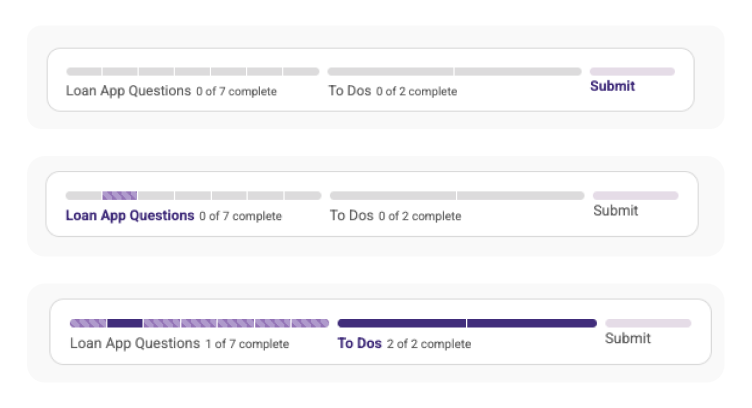
The progress bar now has two main sections: loan app questions (with each section subdivided) and to-dos (any required documents or actions needed for submission).
Each part of the progress bar links to the relevant section of the loan app. Clicking 'Submit' opens up the page to submit the loan app.
2. Validation and Missing Fields
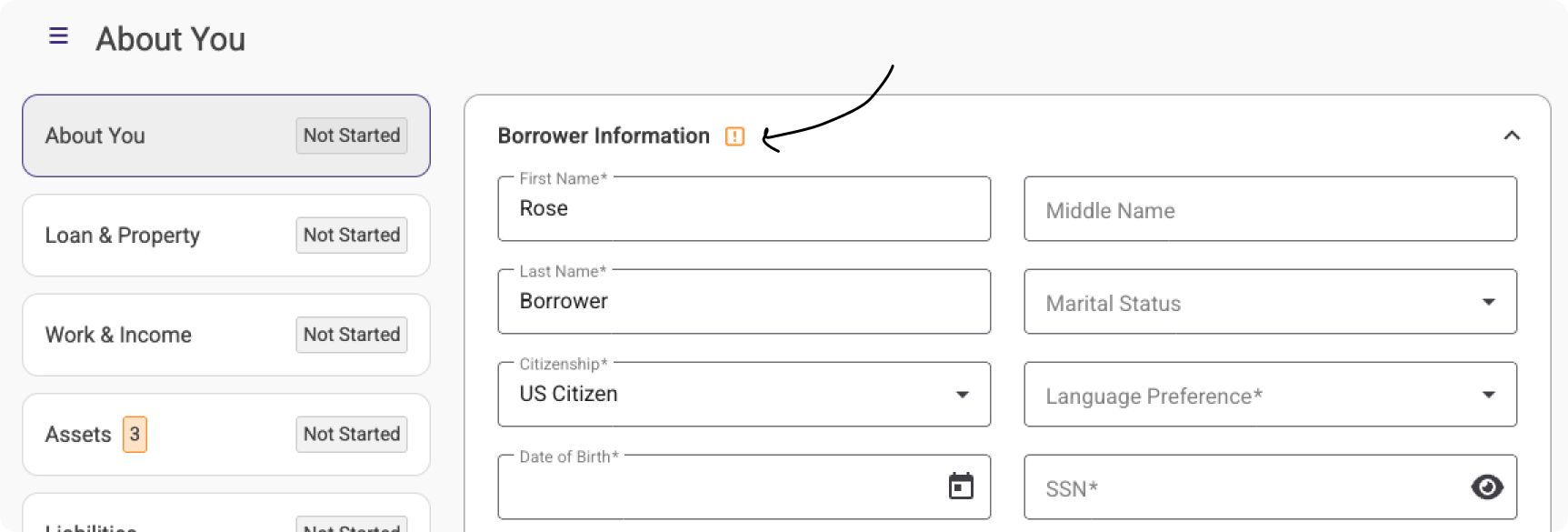
Any sections with missing fields will show this icon. Once all required questions are completed, the icon will go away, and the section can be marked as complete.
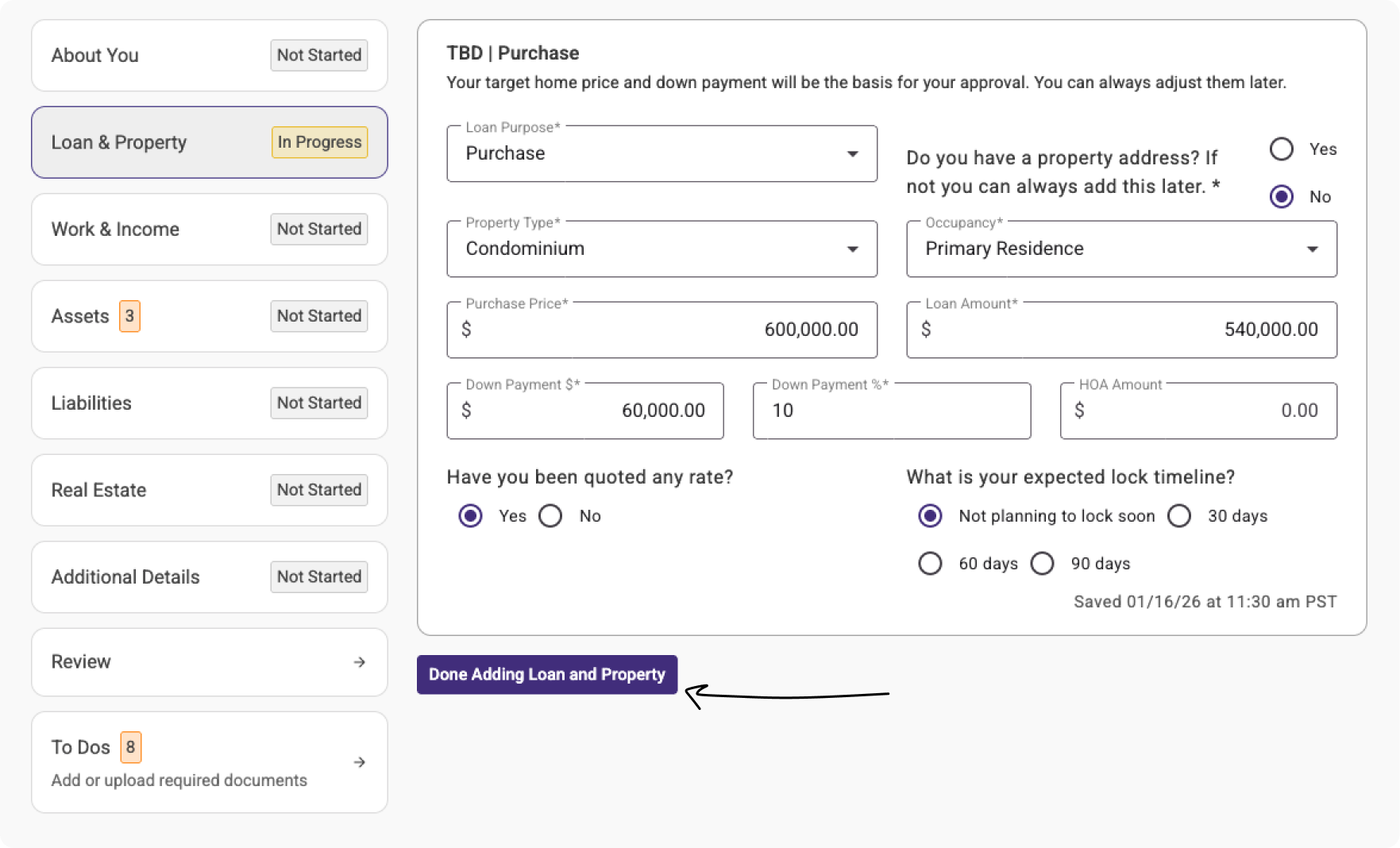
In this view, all required fields are entered, so this section can be marked as complete.
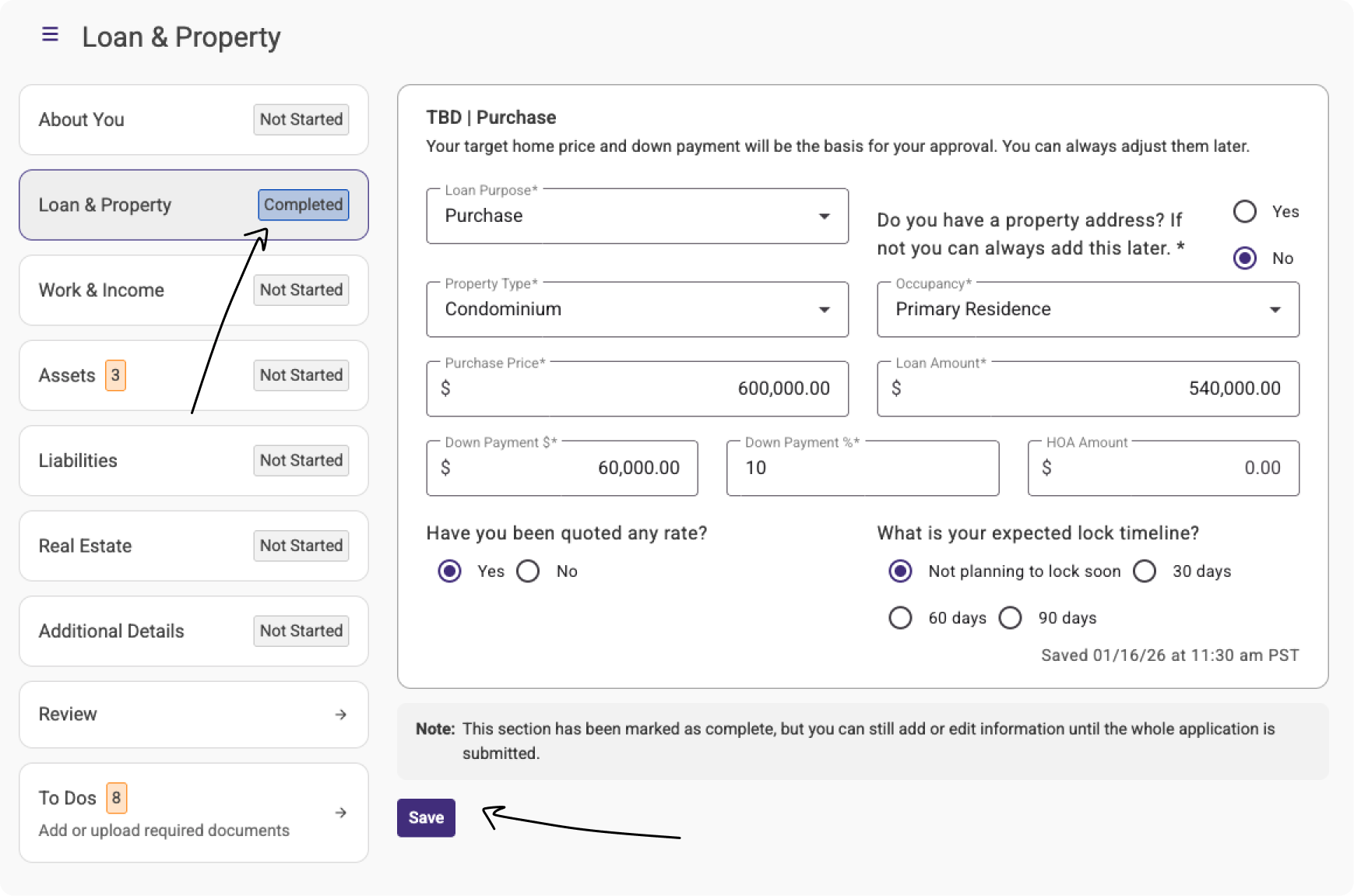
Once the section is complete, it will show an updated status. The section can be edited and saved until the loan is submitted.
3. Understanding Section Statuses
- Not Started: This section hasn't been started yet.
- In Progress: The section has been opened and edited. Information entered earlier in the application will automatically populate here.
- Complete: All required fields are complete and the section is marked as finished. You can edit existing information or add more, but required fields cannot be deleted.
- Submitted: The loan application has been submitted for review.
❇️ After Submission: What Happens Next
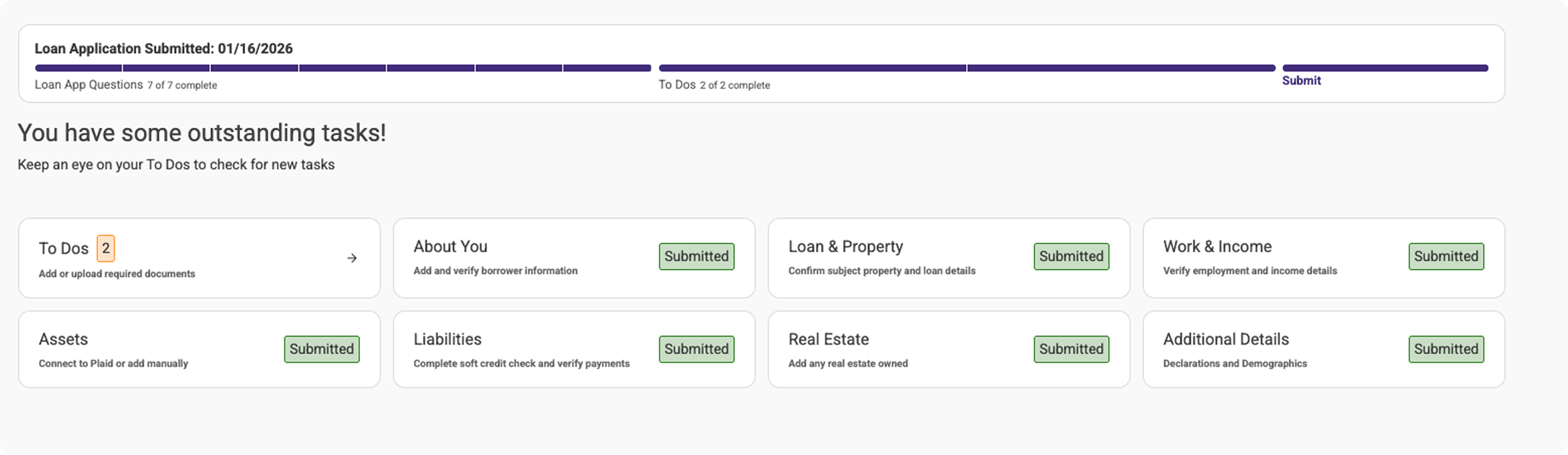
Once the application is submitted, it's automatically transferred to our Loan Origination System and enters the review stage. Our team may request additional information from the borrower by adding new tasks as the review progresses.
View of the loan app tasks page once the application is submitted and all tasks are complete:
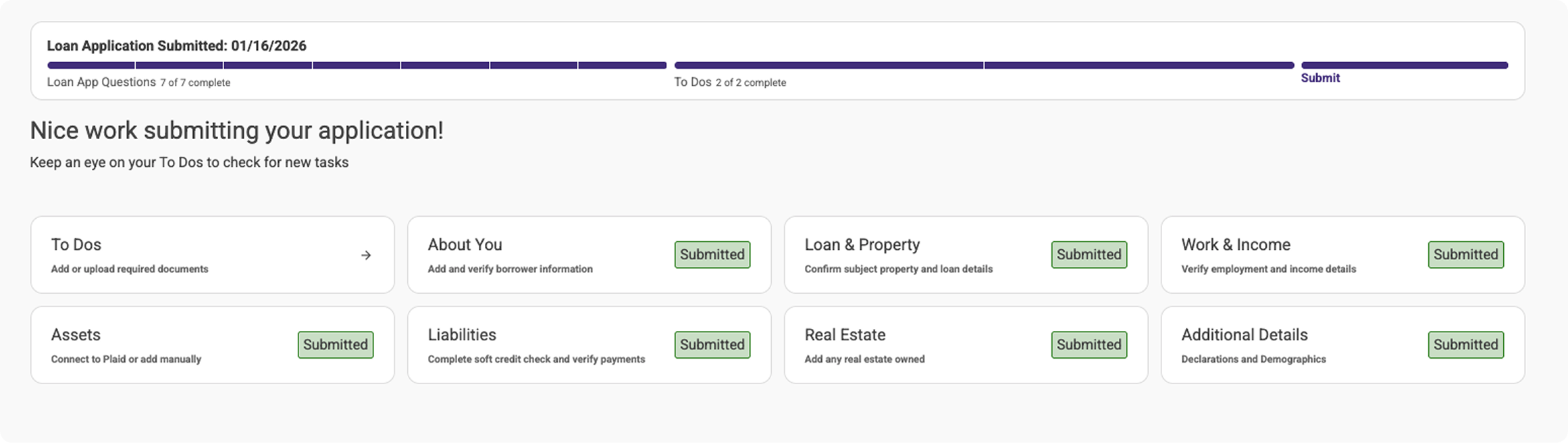
The view once any new tasks are added:
Was this article helpful?
That’s Great!
Thank you for your feedback
Sorry! We couldn't be helpful
Thank you for your feedback
Feedback sent
We appreciate your effort and will try to fix the article